Showing posts with label Ubuntu. Show all posts

Friday, April 29, 2011

Ubuntu 11.04 review


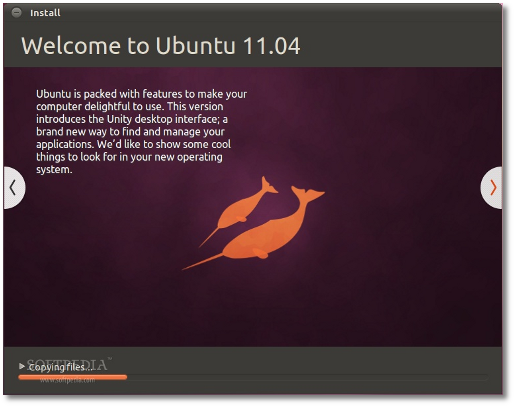
Every one was waiting for Ubuntu 11.04, because of the new Unity interface which is totally different from the Gnome, well Ubuntu 11.04 was just released yesterday and I installed it on my machine so I thought I could write what I think of it:

Installation is getting better this version:
  1. The interface is better
  2. Auto detect of existing Ubuntu installation, so you can just upgrade.
  3. Auto detect of existing Ubuntu installation, so you can overwrite it instead of manually choosing the partitions.
  4. Ability to download upgrades and MP3 plugins during installation to save time

A better looking grub loader ( it is not in 10.04 I don't know if it was there in 10.10 or not)

Unity :)

Generally it is just great, I think people were scared that it would not be simple as much as GNOME is or it will have performance issues, but I can tell you it is simple and light.
Still I am not really satisfied with the default applications like Banshee instead of Rythmbox, but it seems like the new Libre Office is better than Open Office, anyway you can install and uninstall whatever you want, you can even remove Unity and install GNOME if you don't like it.

Best thing is that you can access things easily and faster because Unity offers suggestions for you when you open the menu.

Few things I don't like about Unity is that it is not as customizable as GNOME where you could add and edit panels, but I think more developers will provide applets that can be used with Unity.

Ubuntu software center:

You now can review apps and write comments about the applications.


Tuesday, April 19, 2011

Radio Tray


Just found a great application for listening to Internet Radios on Ubuntu

Go there and download it http://radiotray.sourceforge.net/

then you can easily add radio stations to the radio

check this link

Some radios stream using codecs that Ubuntu doesn't support by default so you will have to install them using

sudo apt-get install ubuntu-restricted-extras

One more thing if you have Unity you need to enable the radio tray applet indicator just do as here.

Friday, October 15, 2010

Fe Net ??!!

Bsfty w7ed el router bta3o mzwlo 3la tool beb2a fi wireless bs mafesh net .... w bsfty bardo btzwel fi el kolya bsbab el net el wahmy ely te3mel connect bs mosh yb2a fi net ... 2olt badal m3od aft7 el terminal w akteb ping w bta3 a3mel 7aga zarefa keda

el mohem ana 3mlt python script 7ker keda lma te3mel run y2om 2ylk fi el notifications area bta3t Ubuntu lw fi net aw mafesh

ana 3mlt launcher bardo fo2 fi el panel ynady el python script 3la tool`

You can find the script on my Ubuntu one space here
tell me if there is something wrong with it (there has to be as I cooked it :D)

dah example


try:
    import pynotify
    if pynotify.init("My Application Name"):
        n = pynotify.Notification("Title", "message")
        n.show()
    else:
        print "there was a problem initializing the pynotify module"
except:
    print "you don't seem to have pynotify installed"


ady el shots

keda fi net


lw b2a fi wireless bs mafesh net


lw b2a 7drtk zaky w b test w aslan mosh 3amel connect l2y network